Tech enthusiast and lifelong learner with expertise in Microsoft 365, cybersecurity, and cloud technologies.
View all authors
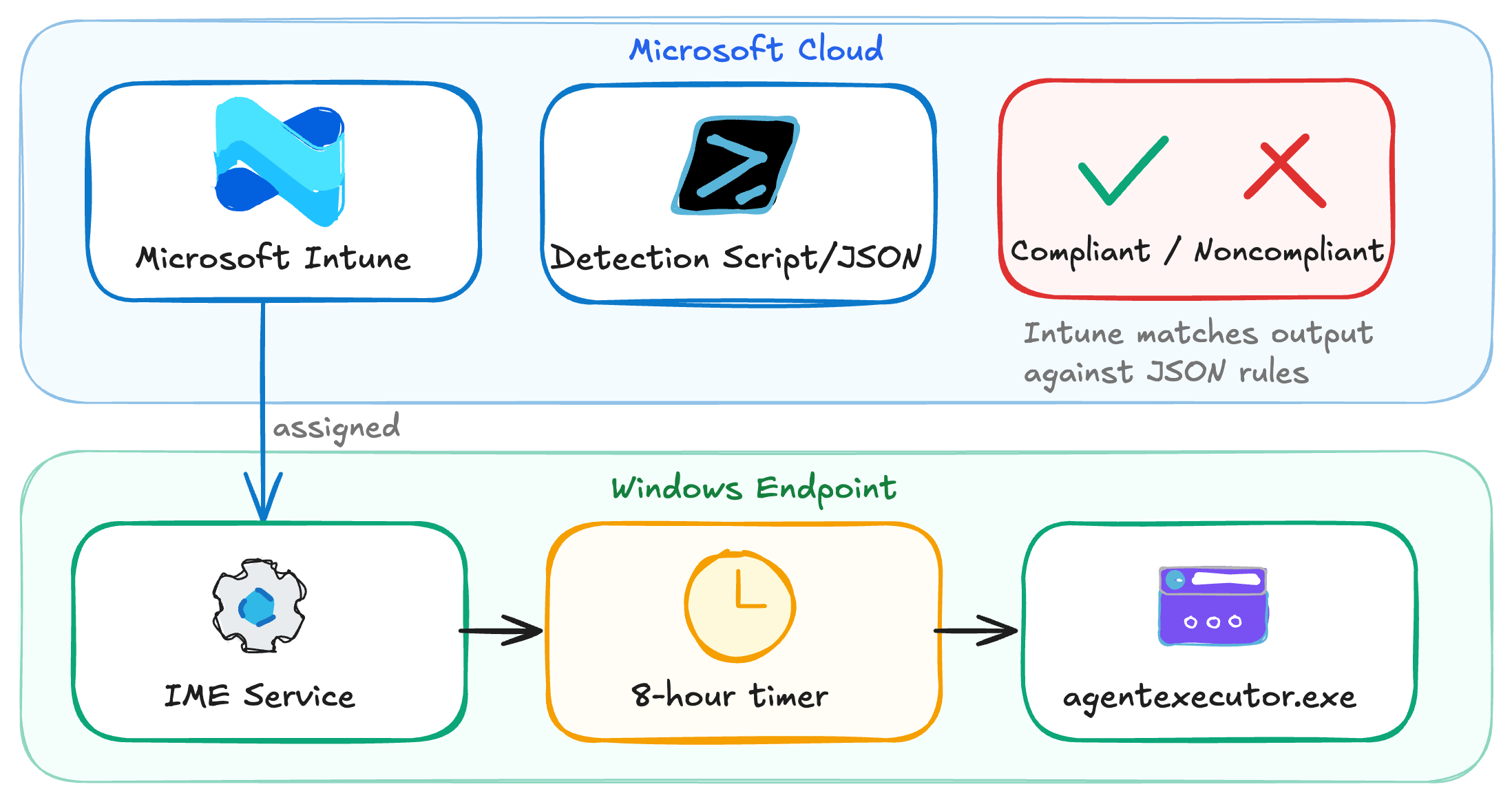
When it comes to configuring compliance policies, Intune provides settings out of the box that can be monitored for config drift, such as BitLocker enabled, minimum OS version, and Antivirus to name a few. However, if the setting (or state) you want to capture isn't included, Intune provides a way to use PowerShell to detect this information on an endpoint with custom compliance policies.
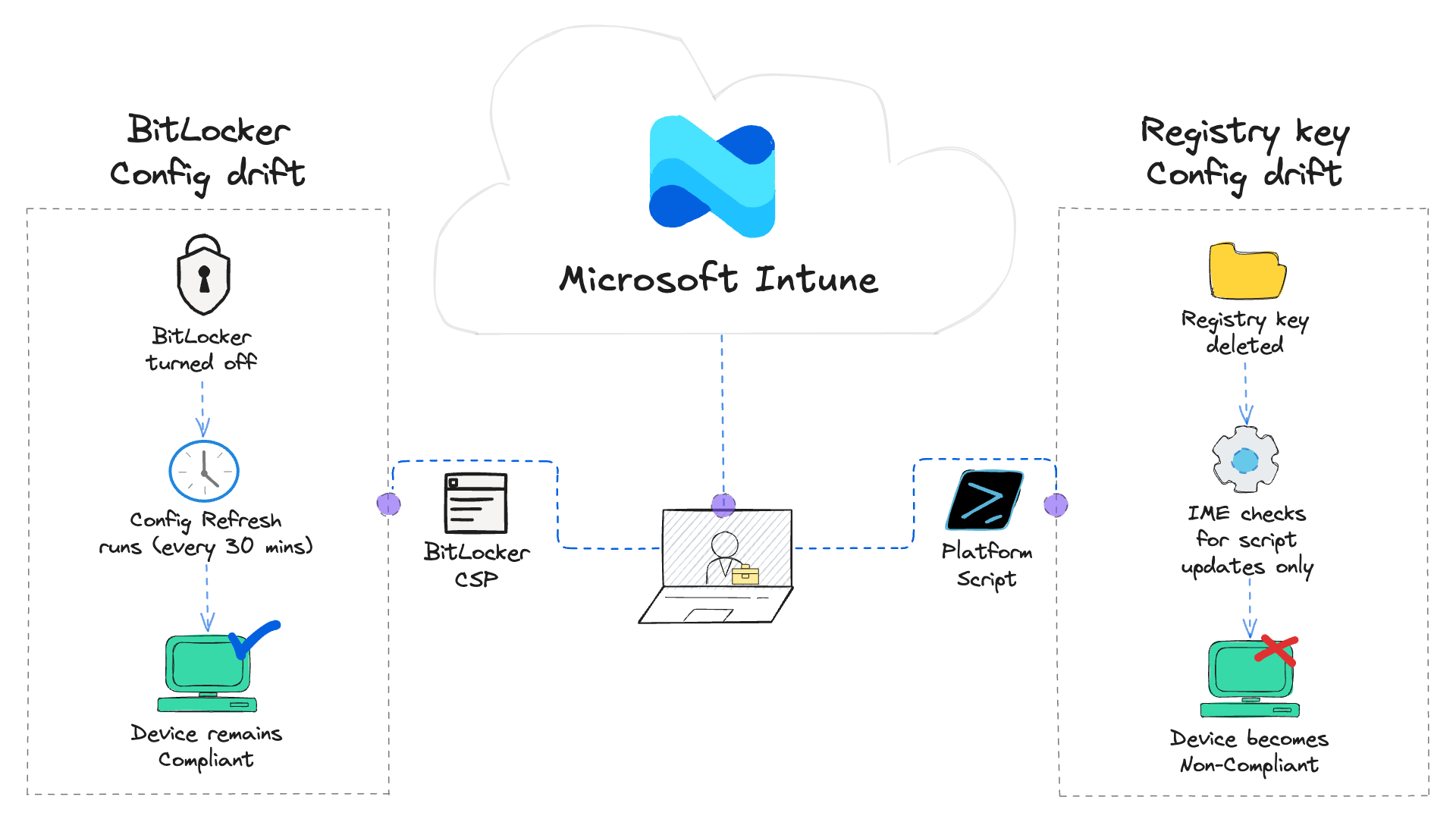
Config drift is a never-ending battle we fight to keep devices secure and compliant. It's important administrators implement
tools and strategies to prevent, detect, and remediate config drift in their environments to keep their devices secure and maintain compliance. Config Refresh is a Windows 11 feature that can help with that effort.
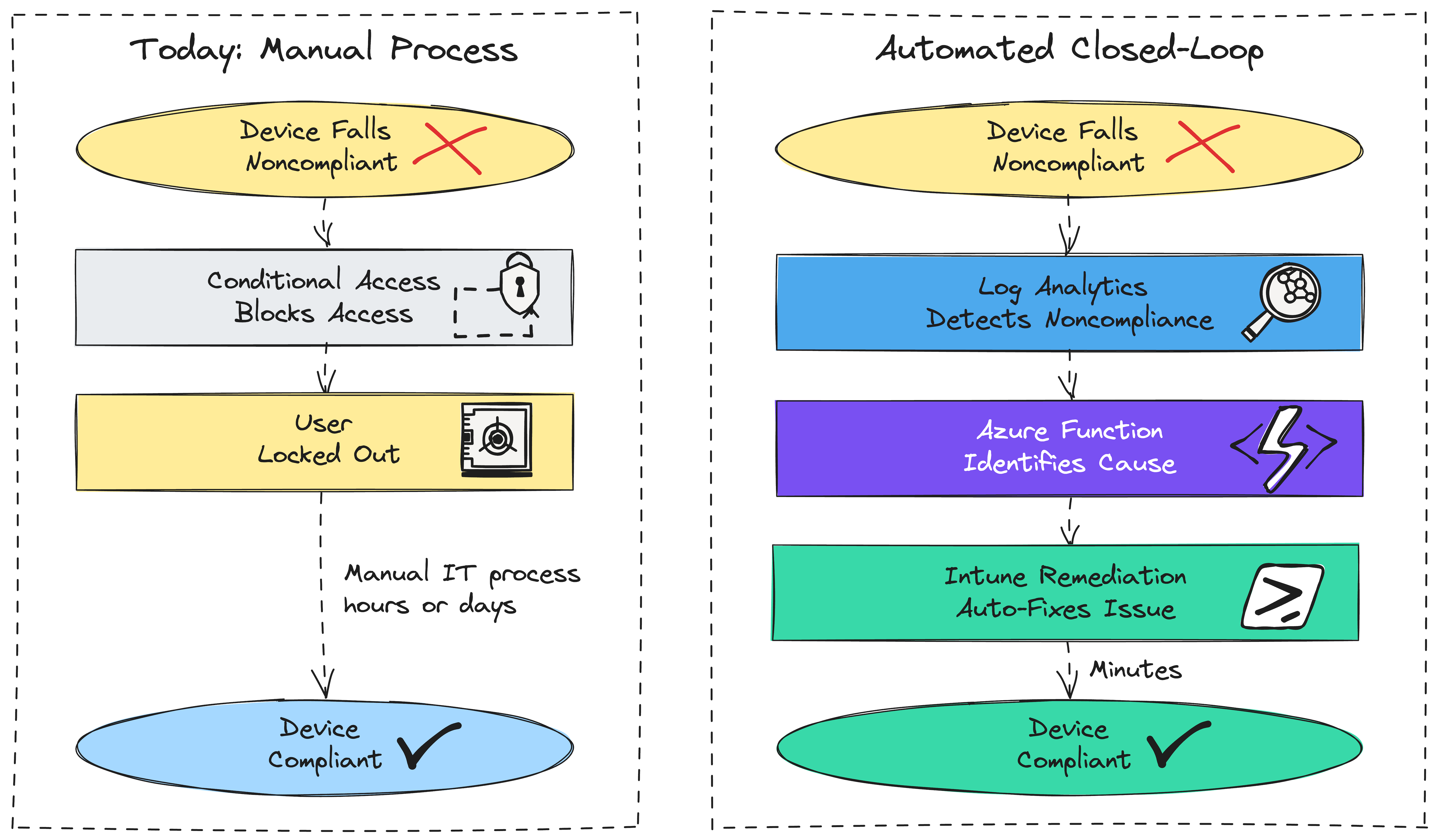
With the current threat landscape, device compliance is no longer a checkbox to keep auditors happy. We've reached a point where it is a requirement for maintaining regulatory compliance, keeping cyber insurance in good standing, and protecting our devices, users, and resources from attackers.
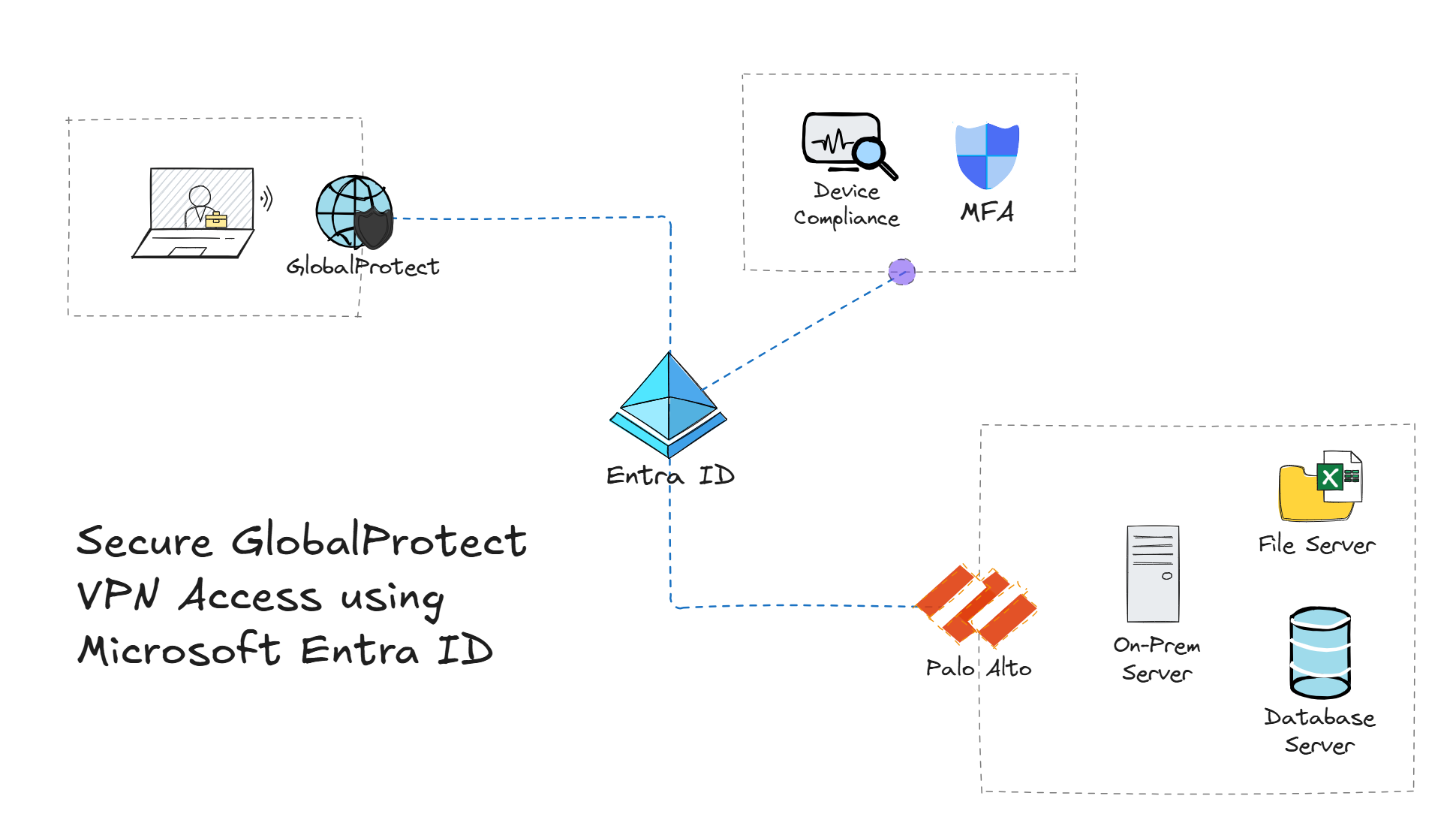
Traditional environments using Palo Alto GlobalProtect for VPN access have relied on using methods such as usernames and passwords, as well as certificates to authenticate users. However, in a Zero Trust world, it's important to verify explicitly, enforce least privilege, and assume breach. This is where Microsoft Entra ID comes in - enabling organizations to secure GlobalProtect with Single Sign-On (SSO) and Conditional Access (CA) policies.
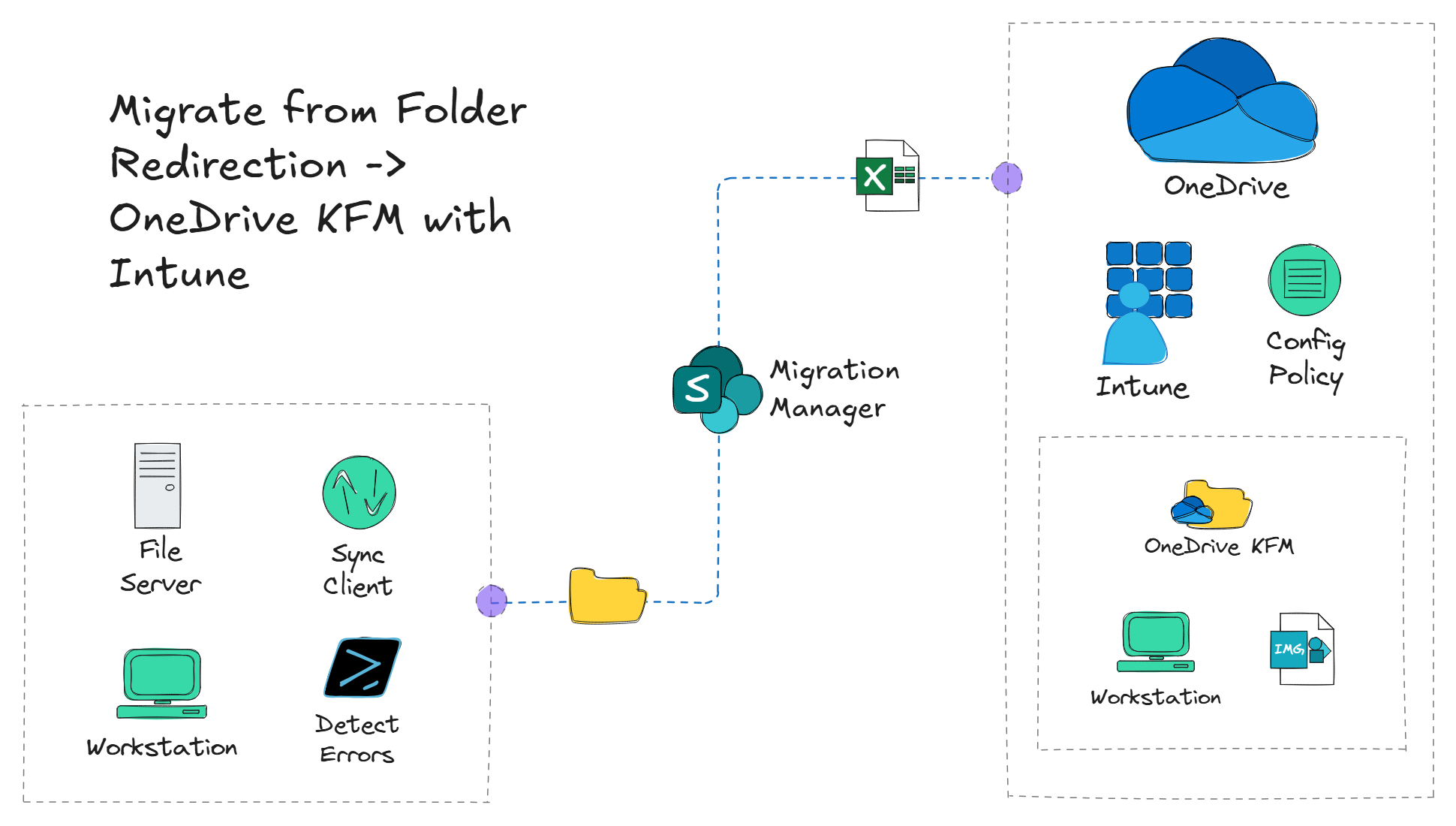
On-premises environments that have been utilizing Folder Redirection with Group Policy Objects (GPOs) and now shifting to a cloud-native approach, will need to ditch redirecting users' files and folders to a network share and start using a more modern approach such as OneDrive Known Folder Move (KFM).
